
Build monday.com automations with Copilot in Power Automate
Copilot is built into Power Automate, so there's nothing to install. Describe what you want, Copilot drafts it, and you fill in the last details.
You need
- A work or school Microsoft account with Power Automate
- Plugin Genie installed, and the monday connector connected in Power Automate (Getting Started)
- Copilot turned on. In some regions an admin has to enable it.
Steps
- Open Copilot in Power Automate
On the Power Automate home page, select Create with Copilot. Check the environment in the top right is the one where your monday connection lives.
- Describe your automation, naming the monday connector
Using the monday connector, when an item's Status column changes to Done on my Projects board, post the item name to the Delivery channel in Teams.
Then select the send arrow.

Type your description, then send. - Review the suggestion
Copilot picks a monday.com trigger such as When any column changes, adds a condition and the Teams step. If anything is off, add details in the box below it. When it looks right, select Keep it and continue.
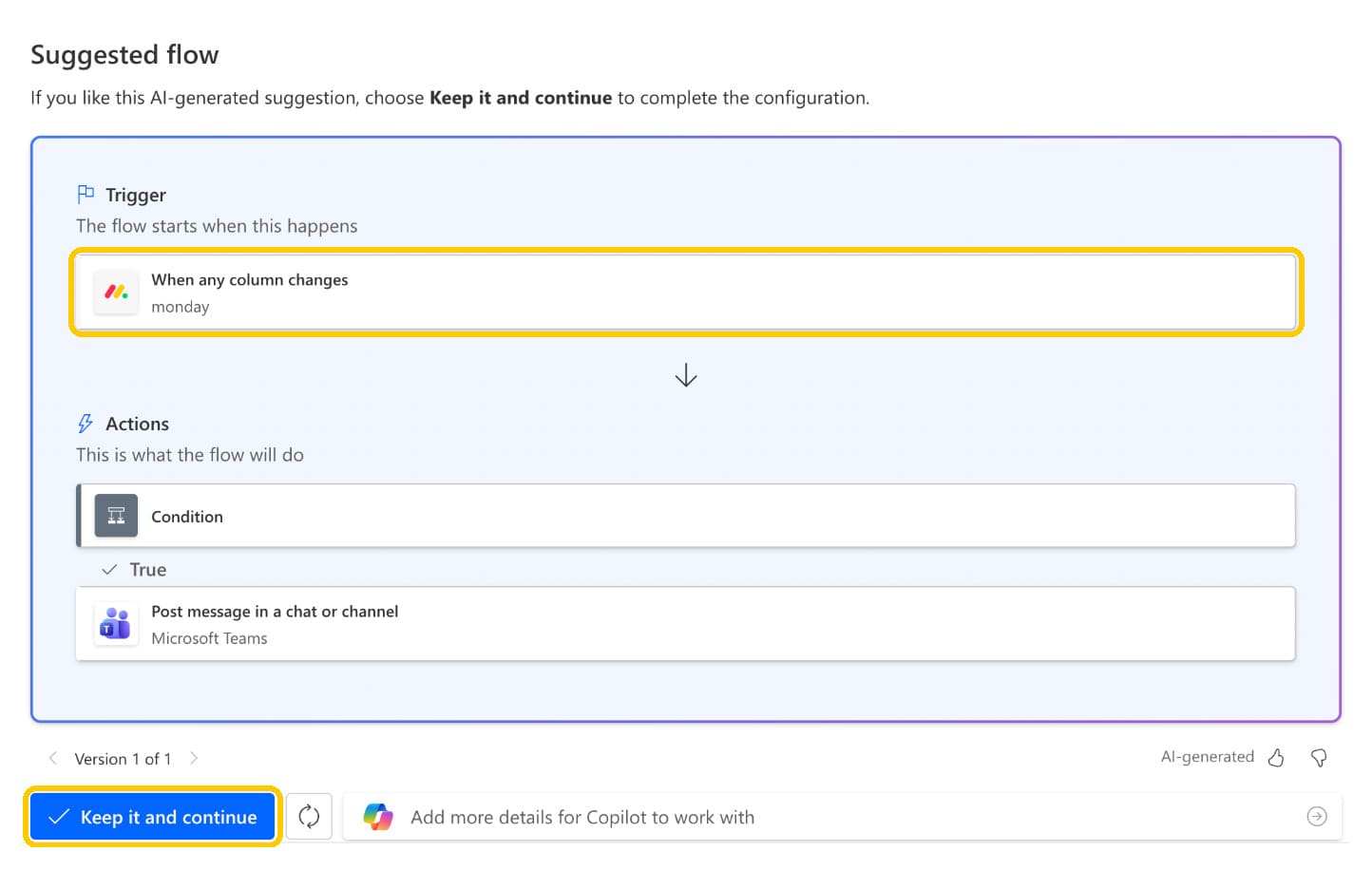
Copilot chose the Plugin Genie monday.com trigger on its own. - Check your connections, then create
Each app needs a green check. If one doesn't have it, use the … menu beside it to sign in. Then select Create flow.
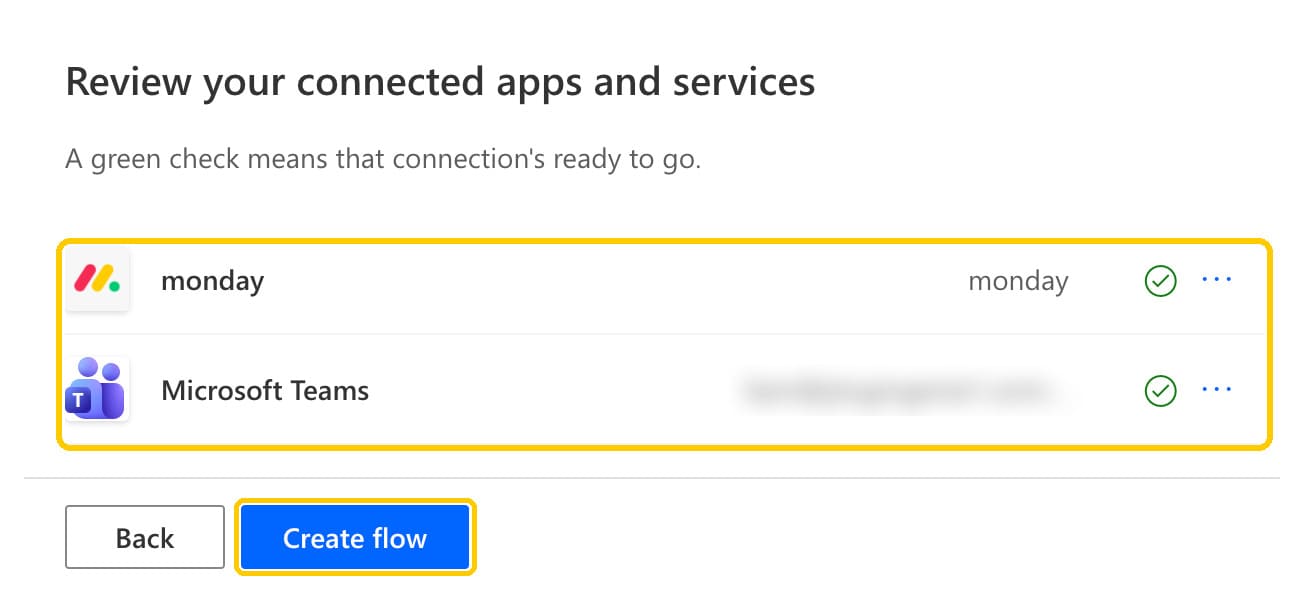
Green checks mean the connections are ready. - Fill in the last details and save
Copilot flags anything still needed. Here, that's choosing which board to watch. Fill it in, check the message, then Save. You can ask the Copilot pane for changes in plain English.
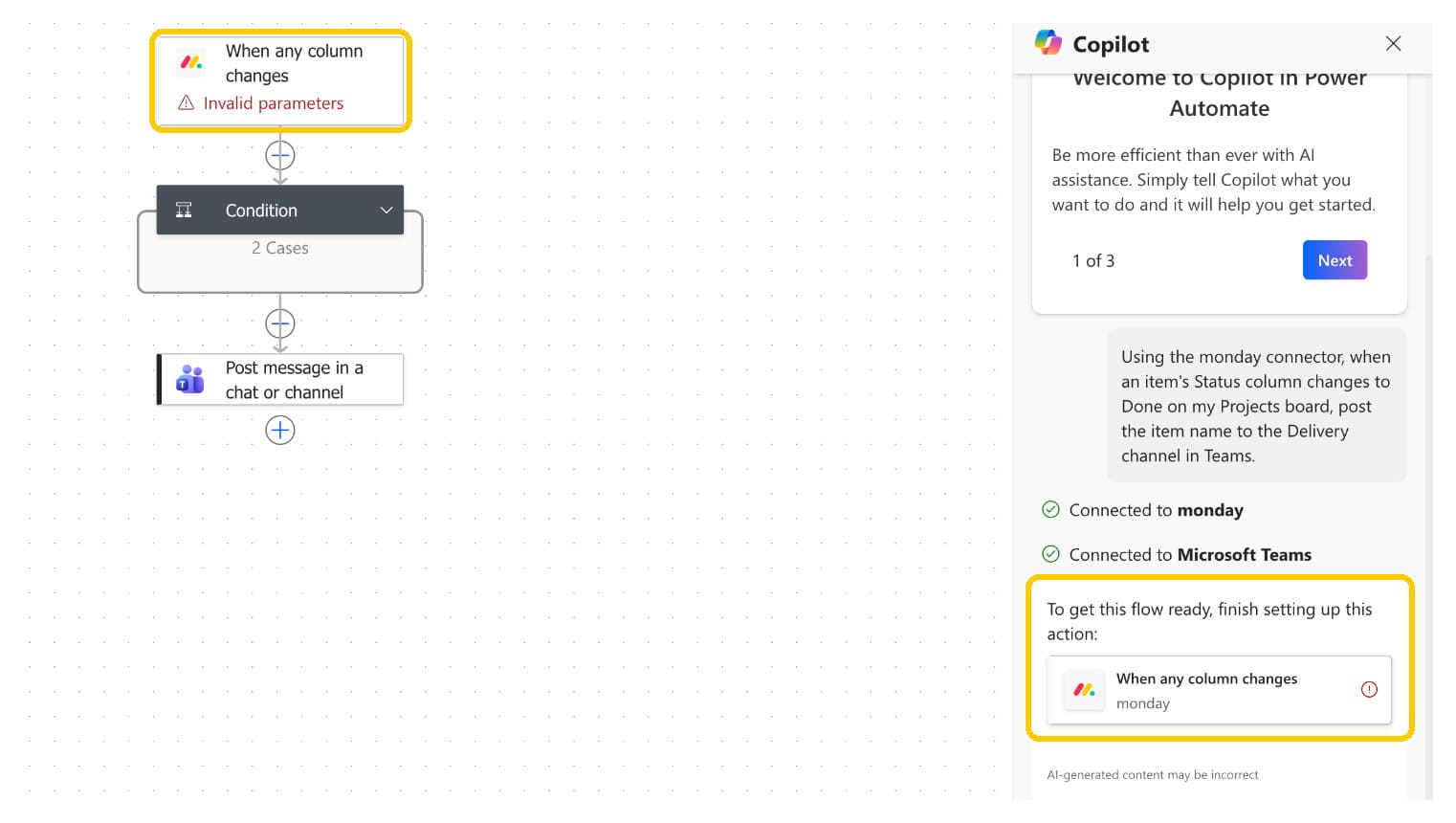
Copilot tells you what's left to fill in. - Test it
Change a test item in monday.com and check the result arrives. In Power Automate, the automation's run history shows each run and whether it worked.
Prompts to copy
Swap in your own board, column and channel names, then paste into Copilot.
Using the monday connector, when an item's Status changes to "Stuck" on my "Projects" board, post the item name and owner to the "Team" channel in Teams.
Using the monday connector, when an item is created on my "Requests" board, send me an email in Outlook with the item name and the Requester column.
When a new response arrives for the form "Client intake", use the monday connector to create an item on my "Intake" board with the client's name and email.
Using the monday connector, when an item is created on my "Clients" board, create a matching item in the SharePoint list "Clients".
Using the monday connector, when the Stage column changes on my "Deals" board, add a row to the Excel table "Pipeline" with the deal name, stage and date.
Using the monday connector, when a sub-item is created on my "Launch" board, create a task in the Planner plan "Launch tasks".
Tips for better results with Copilot
- Start with "Using the monday connector" so Copilot picks Plugin Genie's monday.com steps.
- Put board, column and channel names in quotes, spelled as they are in monday.com.
- Say when it should run first, then what should happen.
- Keep each request to one automation. Add more steps afterwards in the Copilot pane.
Questions about Copilot
I don't see Create with Copilot.
Copilot isn't turned on for your environment or region yet. Ask your Power Automate admin to enable it, or use Claude instead.
Copilot didn't use monday.com, or picked the wrong step.
Start your prompt with "Using the monday connector", and check the monday connection exists in the environment shown in the top right. You can also tell Copilot which step to use in the box under its suggestion.
Why does the first step say "Invalid parameters"?
Copilot doesn't know which monday.com board to watch yet. Select the step, choose your board, and the warning goes away.
Can Copilot change an automation I already have?
Yes. Open it in Power Automate and ask the Copilot pane, for example "also email the owner" or "What does my flow do?".
